cTrader Copy: copying built into the terminal
cTrader Copy is not a separate service but a feature of the trading platform itself: the subscription lives inside the terminal, and a strategy provider exists as an object within the platform. We look at how this differs from MetaTrader and who it suits.
Copying in cTrader: a strategy provider inside the terminal
In the cTrader ecosystem copying is built into the terminal: a trader publishes a provider strategy, an investor subscribes to it right inside the platform, and the system itself handles the fee and the accounting. A separate marketplace, as MetaTrader has, is not needed here.
Two consequences matter for a forex trader. First, copying works without a running terminal — unlike MetaTrader's built-in signals, where trades arrive only while the connection is live. Second, availability depends on the broker: the service exists only where the broker supports cTrader.
cTrader Copy versus MQL5 Signals
| Criterion | cTrader Copy | MQL5 Signals |
|---|---|---|
| Where the strategy is chosen | Inside the cTrader terminal | In the marketplace inside MetaTrader |
| Terminal must be running | No, copying is server-side | Yes, or a VPS |
| Fee model | Set by the strategy provider | Fixed monthly subscription |
| Size of the showcase | Limited to the cTrader ecosystem | Thousands of signals |
| Availability | Only at brokers offering cTrader | At any broker offering MetaTrader |
| Fee accounting | Inside the platform | Through the marketplace |
The cTrader showcase is noticeably smaller than MQL5's, and that is its main drawback. In exchange you get server-side copying without a VPS and unified accounting inside the platform — something that costs extra server rent in the MetaTrader world.
cTrader Copy: short answers
- Do you need a VPS for cTrader Copy
- No. Copying runs on the platform side, so switching your computer off does not interrupt the subscription — unlike MetaTrader's built-in signals.
- Does every broker have cTrader Copy
- No, only at brokers that support cTrader. That is the first thing to check if you have already picked a strategy.
- Can you copy from cTrader to MT4
- No, these are different ecosystems. Moving trades between them requires an external copier, with caveats about symbols and contract sizes.
- How to assess a strategy provider
- By the same metrics as anywhere else: how long it has been published, drawdown, trade count and the shape of the curve. Being built into the terminal is no substitute for screening.
Provider fees and the set of available strategies depend on the broker and change — check them in the terminal.
Frequently asked questions
How cTrader Copy differs from an expert-advisor copier
An advisor moves trades between your own accounts under your rules and needs running terminals. cTrader Copy is a native subscription to someone else's strategy that runs on the platform side.
What happens when you unsubscribe
The subscription is cancelled in the terminal. Check what happens to open positions in the broker's rules: depending on the implementation they are either closed or left on your account.
Is the platform suitable for a beginner
The cTrader interface is considered clearer than MetaTrader's, but that does not make strategy selection any easier: you still have to look at the same risk metrics.
How does cTrader Copy work?
Copying is built into the cTrader terminal: the strategy showcase and the subscription live in the same window where you trade yourself. There is no external service in the order chain.
Do you need a separate account for cTrader Copy?
No, copying runs on a cTrader account at a broker that offers the terminal. The one requirement is that the broker supports it.
How much does copying cost in cTrader?
The fee model is set by the strategy's author and is visible before you subscribe. On top of it come the account's trading costs, which the broker determines.
Can MT4 expert advisors be used in cTrader?
No: cTrader has its own algorithmic platform, and MetaTrader expert advisors do not run there. Moving across means changing your whole working environment.
How reliable are the statistics in cTrader Copy?
They are computed by the platform from the strategy's account rather than entered by the author. That settles the question of whether the figures are genuine, but not whether the strategy suits your deposit.
What happens when you unsubscribe in cTrader Copy?
The broadcast stops, and how open positions are handled is visible in the terminal. In this respect terminal-based copying is more transparent than external services.
How to start copying in cTrader Copy
Copying is built into the terminal itself, so no separate service has to be connected — but it also works only where the broker offers cTrader.
The terminal is provided by the broker, and it is the broker that determines whether the copying section is available. At brokers offering only MetaTrader the option does not exist at all.
depends on the brokerStatistics are computed by the platform from the strategy's account rather than filled in by the author. What to look at is the track record, the number of trades and the depth of drawdown — monthly return is the least informative figure.
data from the terminalThe fee model is set by the author and is visible before you subscribe. Add it to the account's trading costs: the sum of the two is what sets the threshold above which the strategy starts making you money.
two figuresIn terminal-based copying, switching off and the fate of open positions are laid out more clearly than in external services — but the procedure is still worth seeing before you need it.
in advanceWho cTrader Copy suits and who it does not
Other copying venues
Nine services examined to one template: where the trade executes, whether a terminal is required, how the fee is computed and what happens with statistics verification.
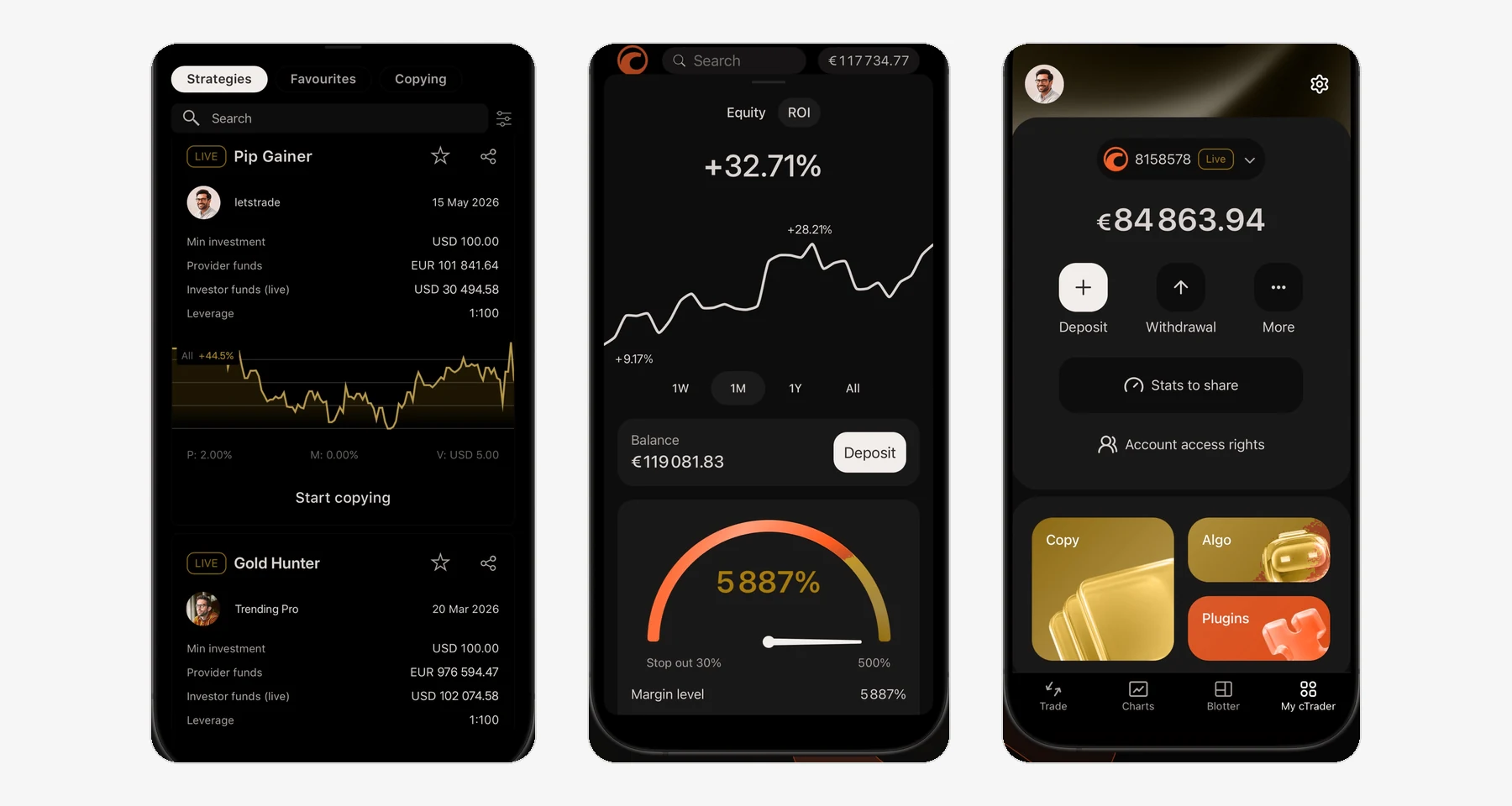
An official app screenshot from the platform: the interface is real, the figures in it are illustrative and promise nothing. Colours mapped to the site palette, avatars blurred.
Read next
