Trade copiers for MT4 and MT5, the local setup and a VPS
An MT4 and MT5 trade copier moves orders onto your account: we look at four approaches — from built-in signals to a local copier between terminals — what to configure and when copy trading needs a VPS.
What counts as a copier and what counts as a subscription
A trade copier is a program that transfers orders from one trading account to another: an expert advisor in the terminal, a standalone application or a server-side service. Unlike a signal subscription, there is no showcase and no payment to a provider — you decide yourself what is copied and where.
An MT5 and MT4 trade copier: four approaches
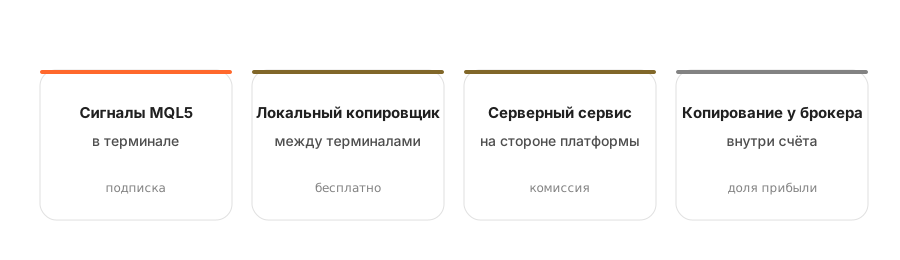
The choice depends on where the trades come from: a public provider, your own second account or a broker's service.
| Approach | Source of trades | Latency | What you need | Who it is for |
|---|---|---|---|---|
| Built-in MQL5 signals | A public provider | fractions of a second to seconds | Terminal online or a VPS, plus a subscription | Anyone looking for a ready-made strategy |
| A local copier | Your own second account or a friend's | fractions of a second | Both terminals on one machine | Your own accounts and a two-broker setup |
| A server-side service | A platform's public showcase | fractions of a second to seconds | Just linking the account | Anyone who does not want to keep a terminal running |
| Copying inside a broker | A showcase inside the broker | minimal | An account with that broker | Anyone who wants the simplest possible start |
The local setup is the only one with no intermediary and no fee: you simply move trades between your own accounts. It is also the most fragile — everything rests on a single computer.
Eight settings that decide everything
A copier almost never breaks on its own — it does exactly what it was told. These are the parameters where money is most often lost.
Brokers name instruments differently: EURUSD, EURUSD.m, EURUSDx. The copier must know what maps to what, or the order simply will not open.
the No. 1 cause of failuresA standard lot is 100,000 units of the base currency almost everywhere, but cent and non-standard accounts differ. A mismatch produces a size a hundred times too large or too small.
check before launchingProportional to balance, by multiplier or at a fixed lot. The first preserves the leader's percentage risk; the third destroys it.
defines your riskA lower bound cuts off copies that are too small; an upper bound protects you from size ballooning when the master account is topped up.
a size safeguardThe maximum acceptable price difference. Too tight and orders get skipped; too wide and you enter at a noticeably worse price.
a balance of two evilsWhether to copy the leader's levels, whether to recalculate them for your prices, what to do on a partial close. How closely your result matches depends on this.
often overlookedCut out exotic pairs, metals and indices; block trading in illiquid hours and around news.
reduces the noiseWhat to do after a disconnect: catch up on missed trades or skip them. Catching up after a strong move is usually the worse option.
decides for youWhen copy trading needs a VPS and when it does not
A virtual server solves two problems: keeping the terminal running non-stop and sitting close to the broker's server. The second matters to far fewer people.
Common failures and their causes
| What happens | Cause | What to do |
|---|---|---|
| The order does not open at all | Symbol names do not match: EURUSD versus EURUSD.m | Set up a symbol mapping table |
| The size is many times larger or smaller | Different contract size or account type (cent versus standard) | Compare the contract specification at both brokers |
| Some trades are missed | Too tight a price deviation tolerance, or a dropped connection | Widen the tolerance, move the terminal to a VPS |
| The stop-loss did not carry over | Levels are not copied, or are recalculated for your prices | Enable level copying and check the mode |
| The trade opened, but deep in the red | Slippage in a fast market with a wide tolerance | Narrow the tolerance and reconsider whether the strategy suits copying |
| Copying stopped overnight | The terminal went to sleep along with the computer | A VPS, or disabling sleep mode |
Frequently asked questions
What are master and slave accounts?
The master is the source account trades are read from; the slave is the receiving account where they are repeated. The terms are used in local copiers; broker services call the same roles leader and subscriber.
Can you copy between different brokers?
Yes, but it is harder: brokers differ in instrument names, contract size, spread and execution speed. You set up a symbol mapping table, and the divergence in results will be noticeably larger than when copying within one broker.
Do free copiers work?
They do, but they usually fall short on the details that matter: handling partial closes, behaviour on a dropped connection, limits on the number of accounts. Test them on a demo across a series of trades, not on a single one.
Does copying slow the terminal down?
The local setup loads the machine with two running terminals. On a weak computer that adds latency — another argument for a dedicated server.
How do you copy trades between two MT4 accounts?
You need a copier — an expert advisor installed on both terminals: on the source account it sends trades, on the receiving account it executes them. Both terminals must be running, which is why a VPS is usually part of the setup.
Does copying work between MT4 and MT5?
Yes, cross-platform copiers handle it, but you have to allow for differences in instrument specifications and in symbol naming between brokers.
Why are trades copied under different instrument names?
Brokers append suffixes to symbols, such as EURUSD.m or EURUSDpro. The copier has to be able to map them, otherwise some trades simply will not open.
Is a VPS needed for a copier?
For a local copier, effectively yes: it works only while the terminal is running. Server-side services and copying inside a broker manage without one.
What latency does a local copier have?
On a single VPS, tens of milliseconds; between different machines over the internet, hundreds. For strategies on daily charts that is irrelevant; for scalping it is decisive.
How does a copier differ from a trading robot?
A robot makes trading decisions itself, following its algorithm. A copier makes no decisions — it repeats someone else's trades, so its quality is measured by accuracy and latency, not by return.
Read next
